
Catch every SaaS renewal, right in Slack
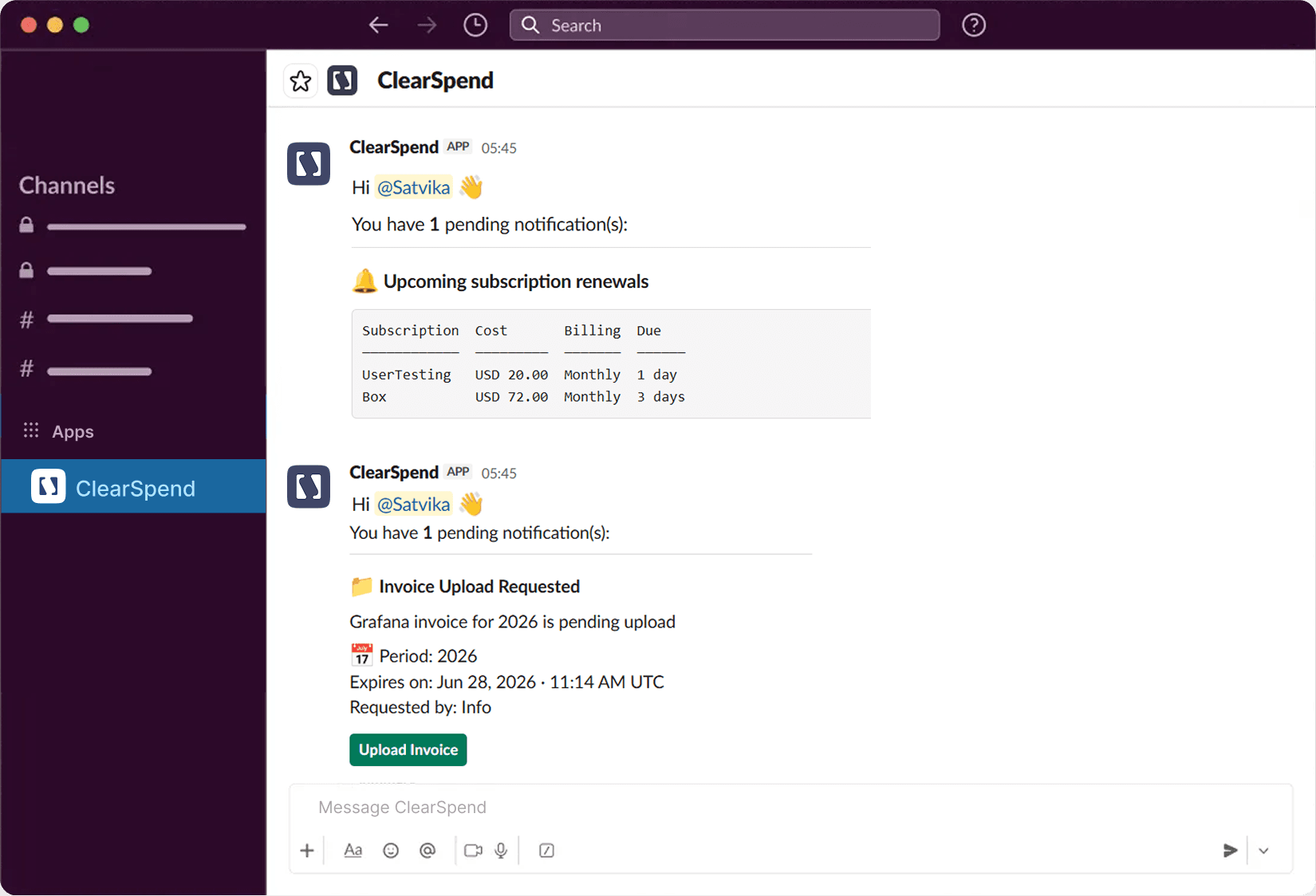
ClearSpend pings the right person before every renewal — in the channel they're already in. They can approve, flag for renegotiation, or upload the invoice without switching tabs.
Catch every SaaS renewal, right in Slack
ClearSpend pings the right person before every renewal — in the channel they're already in. They can approve, flag for renegotiation, or upload the invoice without switching tabs.
Catch every SaaS renewal, right in Slack
ClearSpend pings the right person before every renewal — in the channel they're already in. They can approve, flag for renegotiation, or upload the invoice without switching tabs.
Capabilities
What Slack delivers
Renewals Tracking
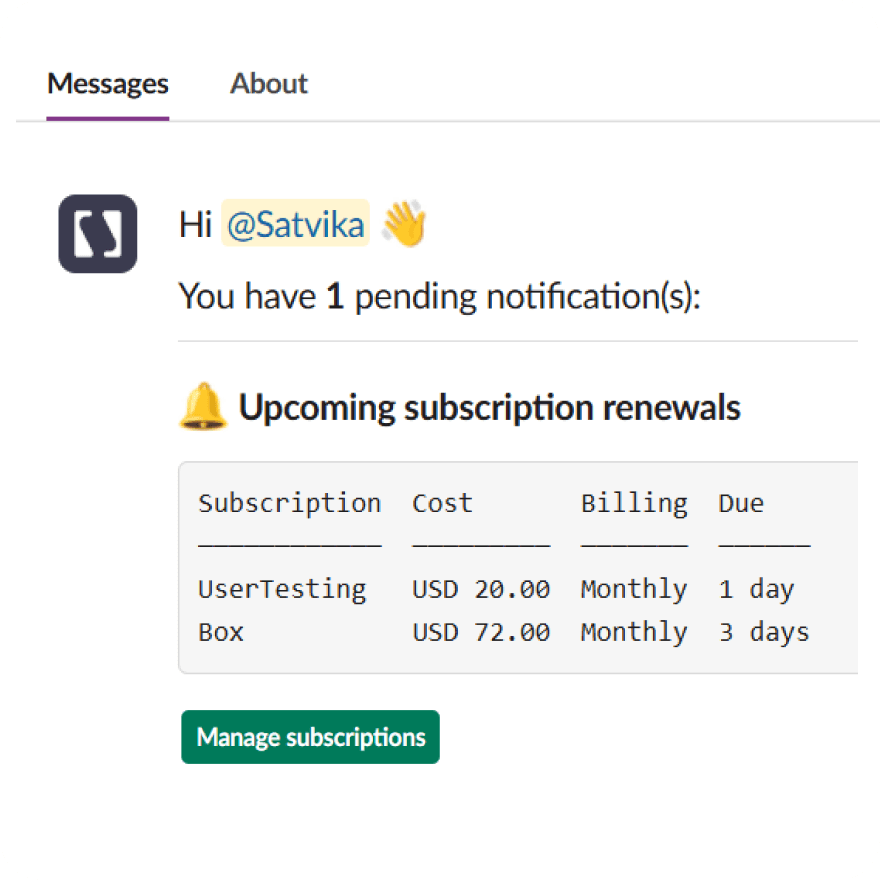
Act before autopay renews
Upcoming renewals and overdue subscriptions go directly to whoever owns them in Slack — with enough lead time to cancel, downgrade, or renegotiate before the card gets charged. The right person gets the alert. Not a shared inbox. Not an admin who has to chase them down.
Notifications
Customizable renewal notifications
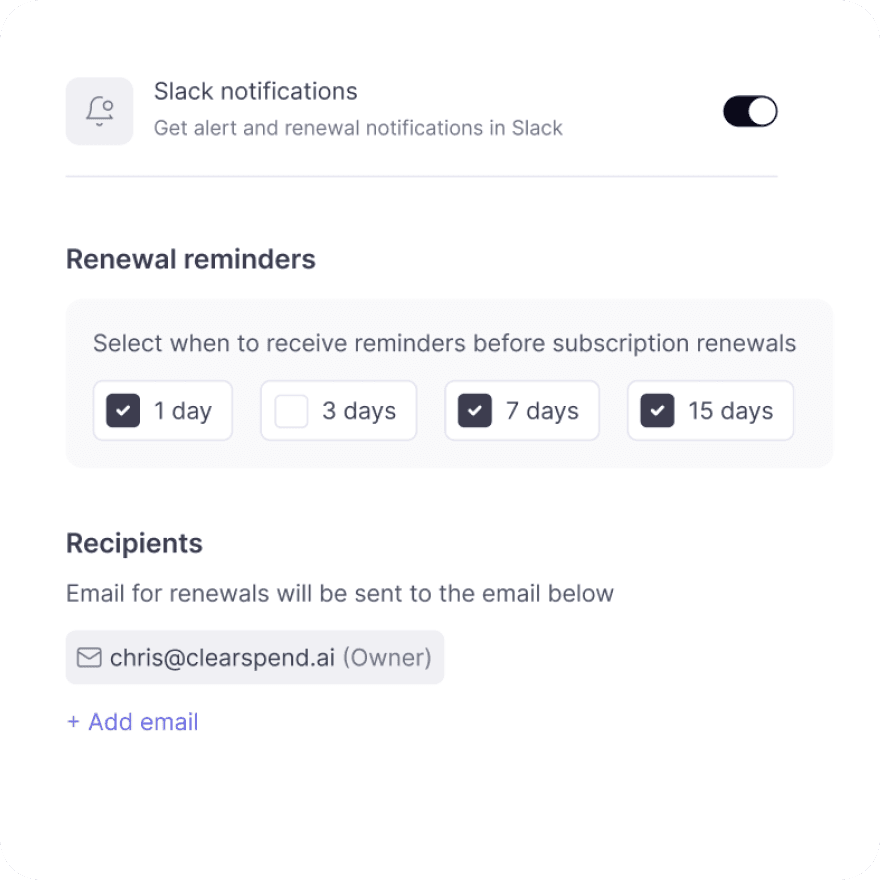
Align renewal alerts to how your team actually manages spend—how far ahead to flag renewals and when to follow up on overdue items. One setup in ClearSpend; subscription owners see it in Slack and email.
Instant Capture
Upload documents right from Slack
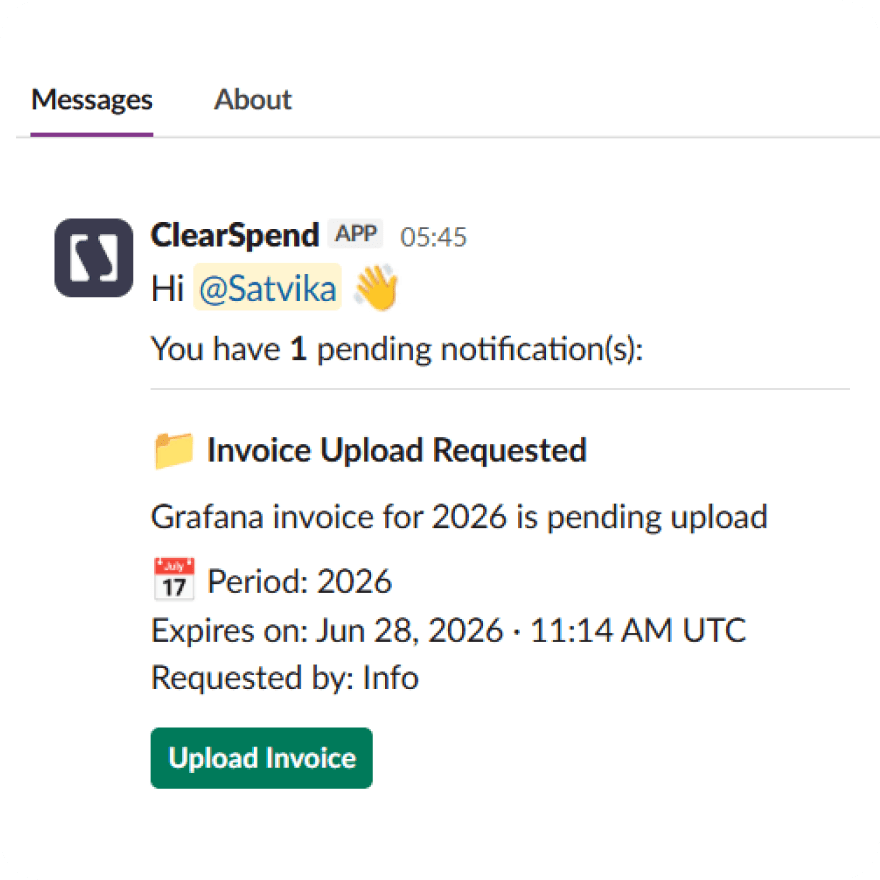
Upload any invoice, receipt, or statement directly in Slack — including ones we've requested — and it's parsed and matched automatically, no portal required.
Capabilities
What Slack delivers
Renewals Tracking
Act before autopay renews
Upcoming renewals and overdue subscriptions go directly to whoever owns them in Slack — with enough lead time to cancel, downgrade, or renegotiate before the card gets charged. The right person gets the alert. Not a shared inbox. Not an admin who has to chase them down.
Notifications
Customizable renewal notifications
Align renewal alerts to how your team actually manages spend—how far ahead to flag renewals and when to follow up on overdue items. One setup in ClearSpend; subscription owners see it in Slack and email.
Instant Capture
Upload documents right from Slack
Upload any invoice, receipt, or statement directly in Slack — including ones we've requested — and it's parsed and matched automatically, no portal required.
Capabilities
What Slack delivers
Renewals Tracking
Act before autopay renews
Upcoming renewals and overdue subscriptions go directly to whoever owns them in Slack — with enough lead time to cancel, downgrade, or renegotiate before the card gets charged. The right person gets the alert. Not a shared inbox. Not an admin who has to chase them down.
Notifications
Customizable renewal notifications
Align renewal alerts to how your team actually manages spend—how far ahead to flag renewals and when to follow up on overdue items. One setup in ClearSpend; subscription owners see it in Slack and email.
Instant Capture
Upload documents right from Slack
Upload any invoice, receipt, or statement directly in Slack — including ones we've requested — and it's parsed and matched automatically, no portal required.
Connect
How to connect Slack + ClearSpend
1
Open Integrations
Go to Manage → Integrations in the sidebar .
2
Find Slack
Locate the Slack card in the integration list.
3
Click Connect
ClearSpend redirects you to Slack’s authorization screen. Review the workspace and channel access Slack requests.
4
Approve
Approve the installation. You are redirected back to ClearSpend with a success confirmation when the connection completes.
Connect
How to connect Slack + ClearSpend
1
Open Integrations
Go to Manage → Integrations in the sidebar .
2
Find Slack
Locate the Slack card in the integration list.
3
Click Connect
ClearSpend redirects you to Slack’s authorization screen. Review the workspace and channel access Slack requests.
4
Approve
Approve the installation. You are redirected back to ClearSpend with a success confirmation when the connection completes.
Connect
How to connect Slack + ClearSpend
1
Open Integrations
Go to Manage → Integrations in the sidebar .
2
Find Slack
Locate the Slack card in the integration list.
3
Click Connect
ClearSpend redirects you to Slack’s authorization screen. Review the workspace and channel access Slack requests.
4
Approve
Approve the installation. You are redirected back to ClearSpend with a success confirmation when the connection completes.
Slack in action
Uploading billing documents through Slack



See every renewal before it costs you
Simplify web data extraction with Pline
See every renewal before it costs you
FAQs
Common questions about Slack and ClearSpend
Can I upload invoices, receipts, or statements directly in Slack?
What does ClearSpend do in Slack besides accepting uploads?
How do I know when ClearSpend needs a document from me?
Do I have to go find the right subscription to attach the file to?
What if I'm not the right person to upload a requested document?
How do I connect Slack to ClearSpend?
FAQs
Common questions about Slack and ClearSpend
Can I upload invoices, receipts, or statements directly in Slack?
What does ClearSpend do in Slack besides accepting uploads?
How do I know when ClearSpend needs a document from me?
Do I have to go find the right subscription to attach the file to?
What if I'm not the right person to upload a requested document?
How do I connect Slack to ClearSpend?
FAQs