Transform Google Drive into Spend Data
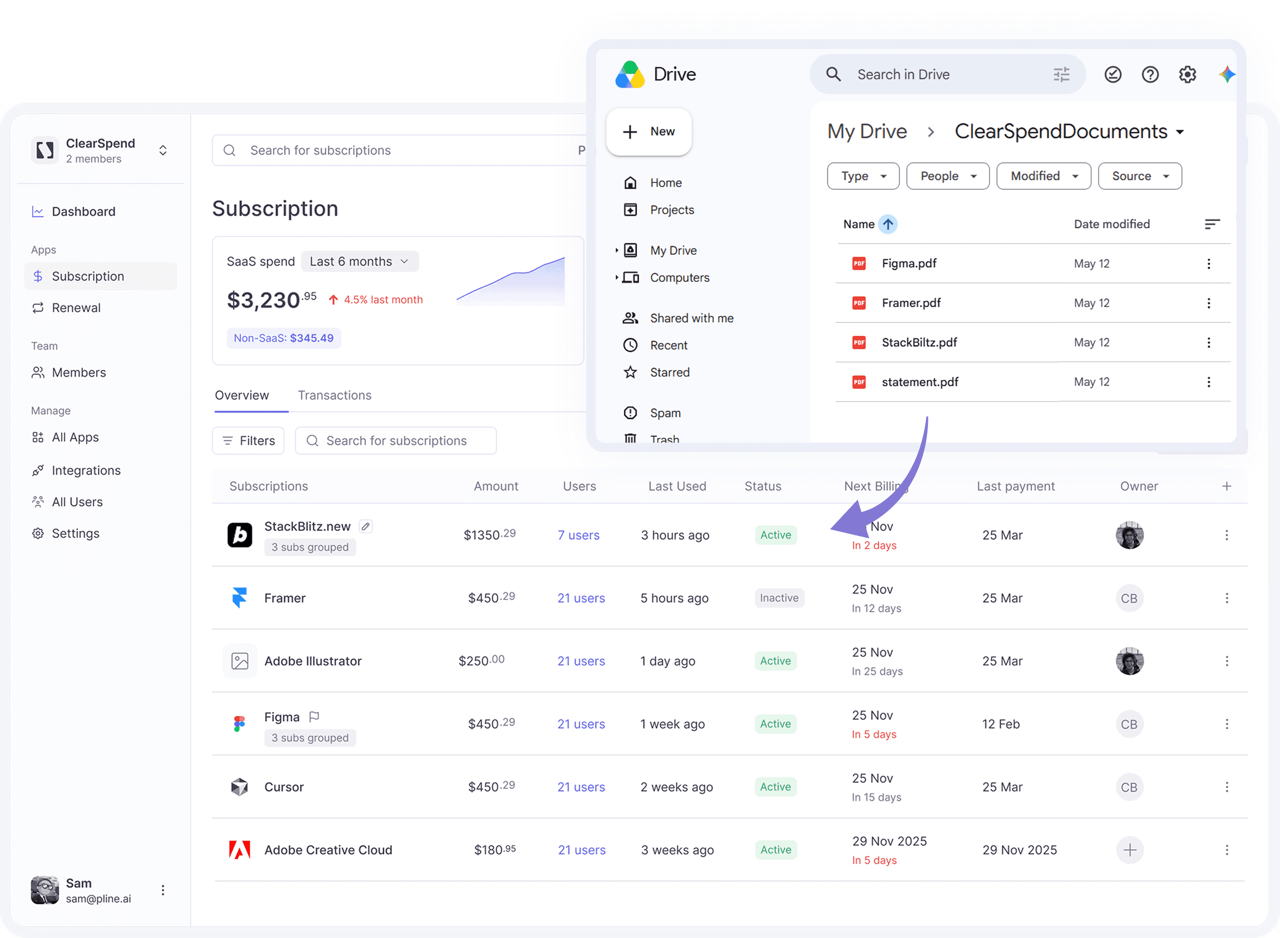
ClearSpend connects to your shared Drive folder and automatically pulls vendors, amounts, and renewal dates from every invoice — no uploads, no searching, no spreadsheet matching.
Transform Google Drive into Spend Data
ClearSpend connects to your shared Drive folder and automatically pulls vendors, amounts, and renewal dates from every invoice — no uploads, no searching, no spreadsheet matching.
Transform Google Drive into Spend Data
ClearSpend connects to your shared Drive folder and automatically pulls vendors, amounts, and renewal dates from every invoice — no uploads, no searching, no spreadsheet matching.
Capabilities
What Google Drive delivers
Drive
From file storage to financial visibility
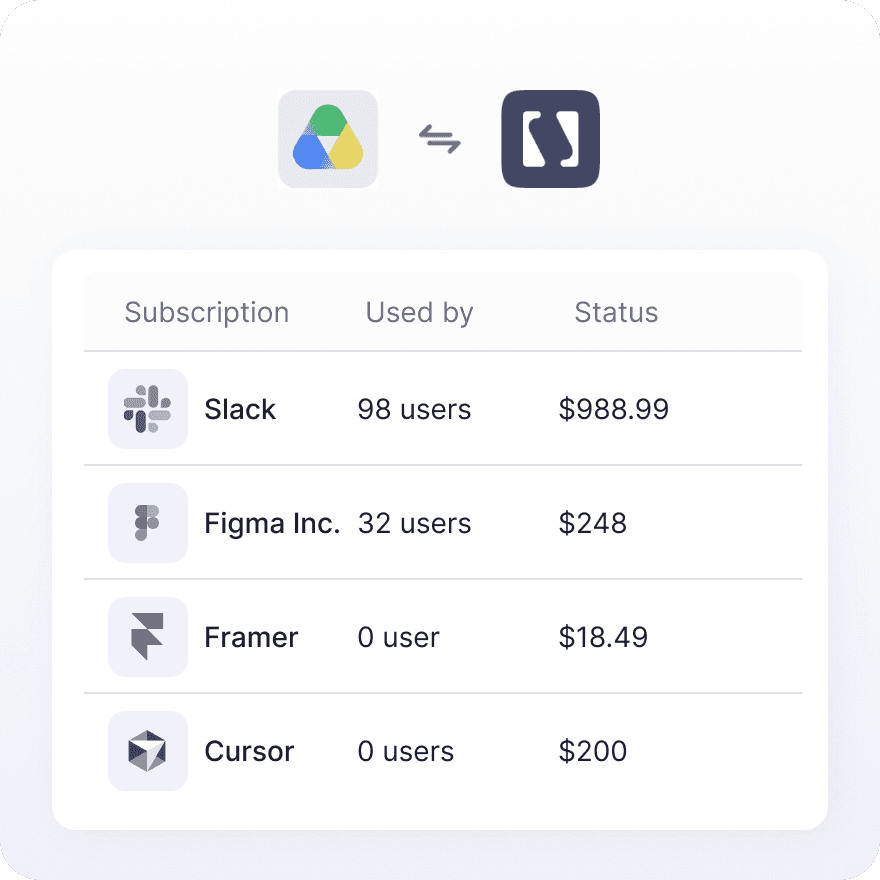
Finance teams already store invoices in Drive — but turning those files into actual spend visibility still takes someone's time. ClearSpend connects directly to your shared folder and converts every incoming document into a subscription record automatically. New invoice lands in Drive, ClearSpend picks it up. Nothing falls through the cracks.
Notifications
Your Folder, Your Rules
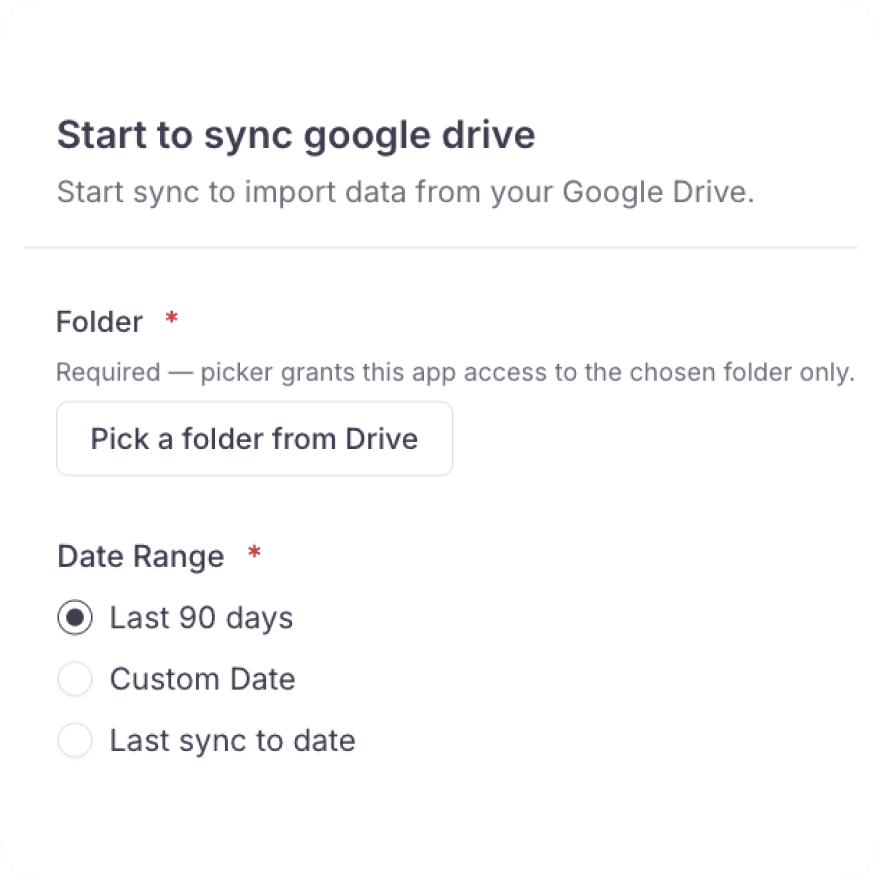
ClearSpend only looks where you tell it to. Point it at a single shared folder and a start date — last 90 days, since your last sync, or a custom date — and it quietly keeps pace from there, picking up new invoices the moment they land.
Capabilities
What Google Drive delivers
Drive
From file storage to financial visibility
Finance teams already store invoices in Drive — but turning those files into actual spend visibility still takes someone's time. ClearSpend connects directly to your shared folder and converts every incoming document into a subscription record automatically. New invoice lands in Drive, ClearSpend picks it up. Nothing falls through the cracks.
Notifications
Your Folder, Your Rules
ClearSpend only looks where you tell it to. Point it at a single shared folder and a start date — last 90 days, since your last sync, or a custom date — and it quietly keeps pace from there, picking up new invoices the moment they land.
Capabilities
What Google Drive delivers
Drive
From file storage to financial visibility
Finance teams already store invoices in Drive — but turning those files into actual spend visibility still takes someone's time. ClearSpend connects directly to your shared folder and converts every incoming document into a subscription record automatically. New invoice lands in Drive, ClearSpend picks it up. Nothing falls through the cracks.
Notifications
Your Folder, Your Rules
ClearSpend only looks where you tell it to. Point it at a single shared folder and a start date — last 90 days, since your last sync, or a custom date — and it quietly keeps pace from there, picking up new invoices the moment they land.
Connect
How to connect Google Drive + ClearSpend
1
Open Integrations
Go to Manage → Integrations in the sidebar .
2
Click Connect
Find the Google Drive card and click Connect. You’ll be redirected to Google’s OAuth consent screen.
3
Approve scopes
ClearSpend requests read-only access to Google Drive file metadata and content. You can revoke access at any time from your Google account.
4
Configure sync options
Choose the folder path to scan (default /ClearSpendDocuments/) and a date range — last 90 days, since last sync, or a custom start date. When you pick Custom Date, a start date is required.
5
Wait for the first sync
Most integrations finish their initial import within a couple of minutes. Large folders can take longer. The integration card will show the last sync time once complete.
Connect
How to connect Google Drive + ClearSpend
1
Open Integrations
Go to Manage → Integrations in the sidebar .
2
Click Connect
Find the Google Drive card and click Connect. You’ll be redirected to Google’s OAuth consent screen.
3
Approve scopes
ClearSpend requests read-only access to Google Drive file metadata and content. You can revoke access at any time from your Google account.
4
Configure sync options
Choose the folder path to scan (default /ClearSpendDocuments/) and a date range — last 90 days, since last sync, or a custom start date. When you pick Custom Date, a start date is required.
5
Wait for the first sync
Most integrations finish their initial import within a couple of minutes. Large folders can take longer. The integration card will show the last sync time once complete.
Connect
How to connect Google Drive + ClearSpend
1
Open Integrations
Go to Manage → Integrations in the sidebar .
2
Click Connect
Find the Google Drive card and click Connect. You’ll be redirected to Google’s OAuth consent screen.
3
Approve scopes
ClearSpend requests read-only access to Google Drive file metadata and content. You can revoke access at any time from your Google account.
4
Configure sync options
Choose the folder path to scan (default /ClearSpendDocuments/) and a date range — last 90 days, since last sync, or a custom start date. When you pick Custom Date, a start date is required.
5
Wait for the first sync
Most integrations finish their initial import within a couple of minutes. Large folders can take longer. The integration card will show the last sync time once complete.
Capabilities
What you stop doing


Capabilities
What you stop doing
Capabilities
What you stop doing
Google drive in action
Importing billing documents through Google Drive

Bring shared Drive billing data into a single system of record for SaaS spend
Simplify web data extraction with Pline
Bring shared Drive billing data into a single system of record for SaaS spend
FAQs
Common questions about Google Drive and ClearSpend
What's the difference between the Google Drive and Gmail integrations?
Which folder does ClearSpend scan in Google Drive?
What date range can I choose when setting up the sync?
What level of access does ClearSpend request from Google Drive?
Can I connect more than one Google account?
How long does the first Google Drive sync take?
FAQs
Common questions about Google Drive and ClearSpend
What's the difference between the Google Drive and Gmail integrations?
Which folder does ClearSpend scan in Google Drive?
What date range can I choose when setting up the sync?
What level of access does ClearSpend request from Google Drive?
Can I connect more than one Google account?
How long does the first Google Drive sync take?
FAQs