
Stop paying for software nobody uses
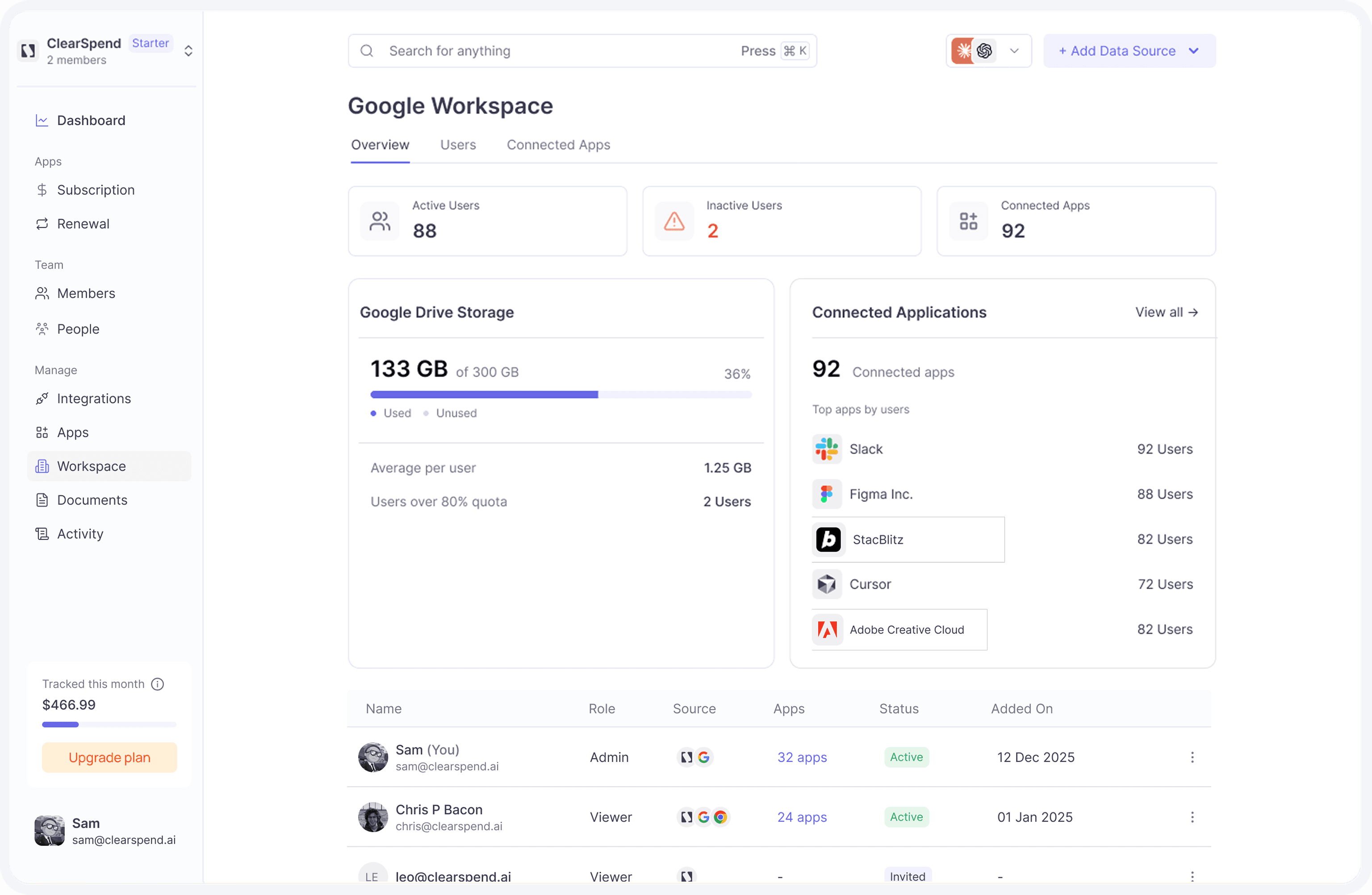
Connect Google Workspace to see every app in your org, who actually uses it, and exactly what to cut — before the next renewal hits.
Stop paying for software nobody uses
Connect Google Workspace to see every app in your org, who actually uses it, and exactly what to cut — before the next renewal hits.
Stop paying for software nobody uses
Connect Google Workspace to see every app in your org, who actually uses it, and exactly what to cut — before the next renewal hits.
Capabilities
What Google Workspace delivers
At a glance
Know who uses what
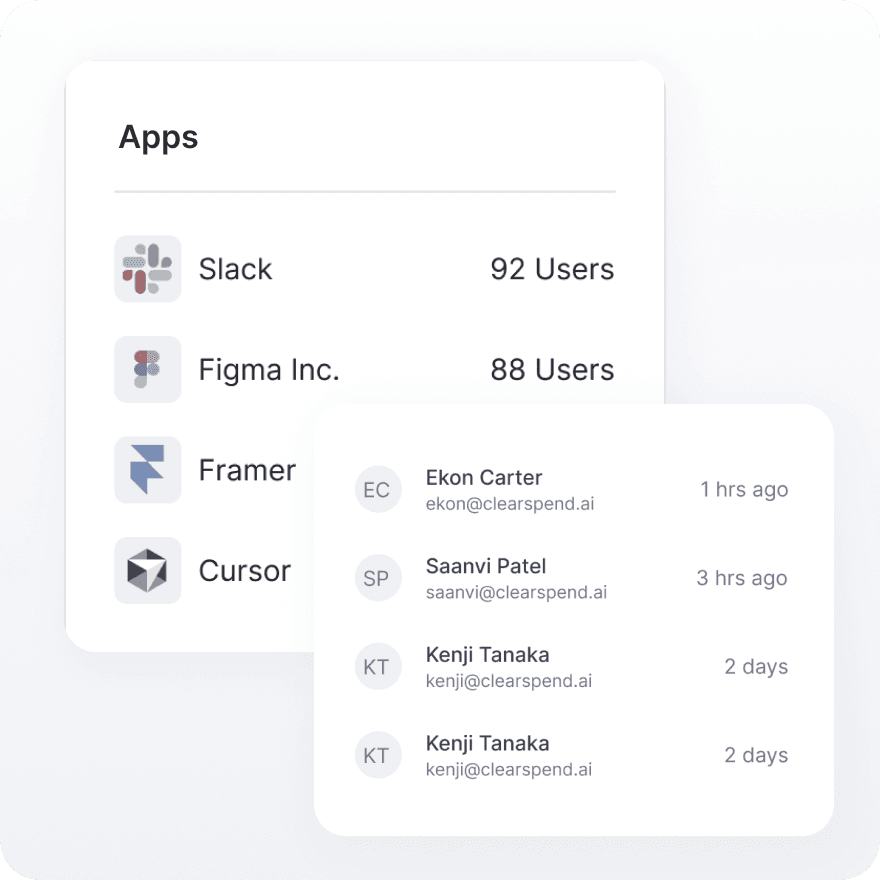
When someone leaves, their SaaS seats don't leave with them — not automatically. See every person, every tool they accessed, and when they last logged in. Catch paid ghost seats before the next billing cycle.
Usage
Cut waste before renewal
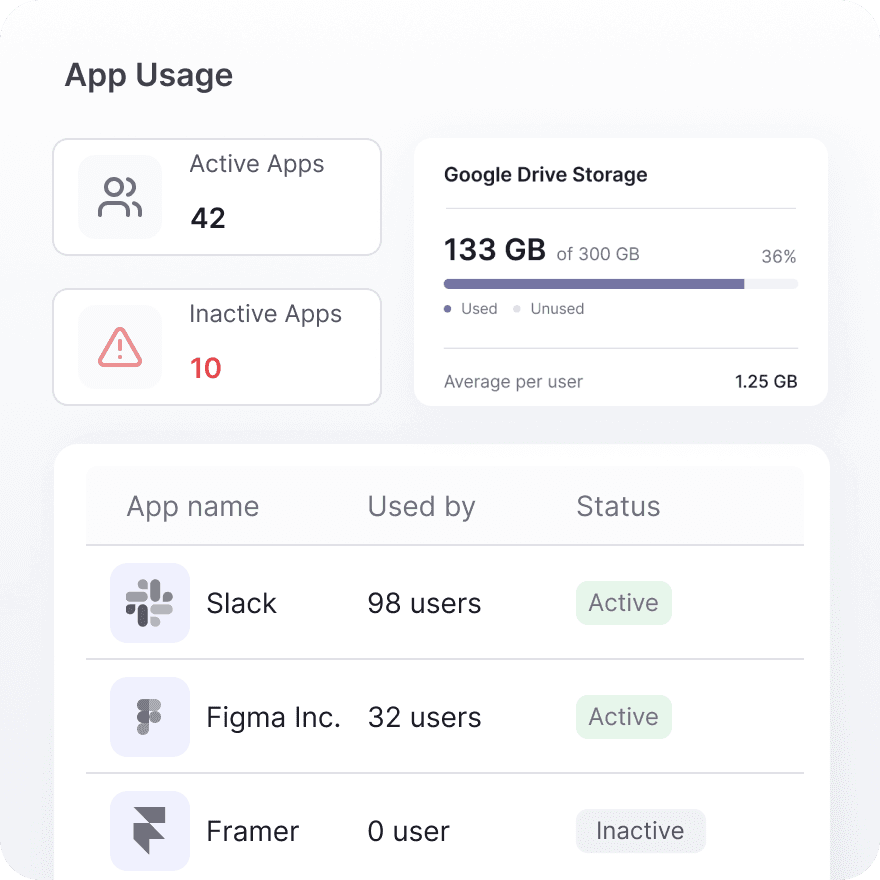
Walk into every renewal negotiation with actual usage data, not gut feeling. Last-login timestamps per tool give you the evidence to downgrade seats, kill inactive tools, or push back on price increases.
Capabilities
What Google Workspace delivers
At a glance
Know who uses what
When someone leaves, their SaaS seats don't leave with them — not automatically. See every person, every tool they accessed, and when they last logged in. Catch paid ghost seats before the next billing cycle.
Usage
Cut waste before renewal
Walk into every renewal negotiation with actual usage data, not gut feeling. Last-login timestamps per tool give you the evidence to downgrade seats, kill inactive tools, or push back on price increases.
Capabilities
What Google Workspace delivers
At a glance
Know who uses what
When someone leaves, their SaaS seats don't leave with them — not automatically. See every person, every tool they accessed, and when they last logged in. Catch paid ghost seats before the next billing cycle.
Usage
Cut waste before renewal
Walk into every renewal negotiation with actual usage data, not gut feeling. Last-login timestamps per tool give you the evidence to downgrade seats, kill inactive tools, or push back on price increases.
Connect
How to connect Google Workspace + ClearSpend
1
Open Integrations
Go to Manage → Integrations → Google Workspace in the sidebar .
2
Click Connect
Click Connect. A confirmation dialog explains what ClearSpend reads (directory and OAuth discovery data).
3
Approve OAuth scopes
You are redirected to Google’s consent screen. Sign in with a Google Workspace account that can authorize read-only access for your organization. Approve the requested scopes.
4
Configure sync options
ClearSpend redirects you back to Integrations when authorization succeeds. Your directory sync begins immediately
5
Wait for the first sync
ClearSpend redirects you back to Integrations when authorization succeeds. The first discovery pass usually finishes within a few minutes; larger directories can take longer. The integration card shows the linked account and last sync time when complete.
Connect
How to connect Google Workspace + ClearSpend
1
Open Integrations
Go to Manage → Integrations → Google Workspace in the sidebar .
2
Click Connect
Click Connect. A confirmation dialog explains what ClearSpend reads (directory and OAuth discovery data).
3
Approve OAuth scopes
You are redirected to Google’s consent screen. Sign in with a Google Workspace account that can authorize read-only access for your organization. Approve the requested scopes.
4
Configure sync options
ClearSpend redirects you back to Integrations when authorization succeeds. Your directory sync begins immediately
5
Wait for the first sync
ClearSpend redirects you back to Integrations when authorization succeeds. The first discovery pass usually finishes within a few minutes; larger directories can take longer. The integration card shows the linked account and last sync time when complete.
Connect
How to connect Google Workspace + ClearSpend
1
Open Integrations
Go to Manage → Integrations → Google Workspace in the sidebar .
2
Click Connect
Click Connect. A confirmation dialog explains what ClearSpend reads (directory and OAuth discovery data).
3
Approve OAuth scopes
You are redirected to Google’s consent screen. Sign in with a Google Workspace account that can authorize read-only access for your organization. Approve the requested scopes.
4
Configure sync options
ClearSpend redirects you back to Integrations when authorization succeeds. Your directory sync begins immediately
5
Wait for the first sync
ClearSpend redirects you back to Integrations when authorization succeeds. The first discovery pass usually finishes within a few minutes; larger directories can take longer. The integration card shows the linked account and last sync time when complete.
Capabilities
What this unlocks


Capabilities
What this unlocks
Capabilities
What this unlocks

See your full software stack — connect Workspace in Integrations
Simplify web data extraction with Pline
See your full software stack — connect Workspace in Integrations
FAQs
Common questions about Slack and ClearSpend
Who should authorize the Google Workspace connection?
How quickly does data appear after connecting?
Do I still need Gmail or Google Drive?
Does this replace the Chrome extension?
Who can connect or disconnect Google Workspace?
Can I revoke ClearSpend's access to Google Workspace?
FAQs
Common questions about Slack and ClearSpend
Who should authorize the Google Workspace connection?
How quickly does data appear after connecting?
Do I still need Gmail or Google Drive?
Does this replace the Chrome extension?
Who can connect or disconnect Google Workspace?
Can I revoke ClearSpend's access to Google Workspace?
FAQs