
Turn Gmail into a SaaS tracker
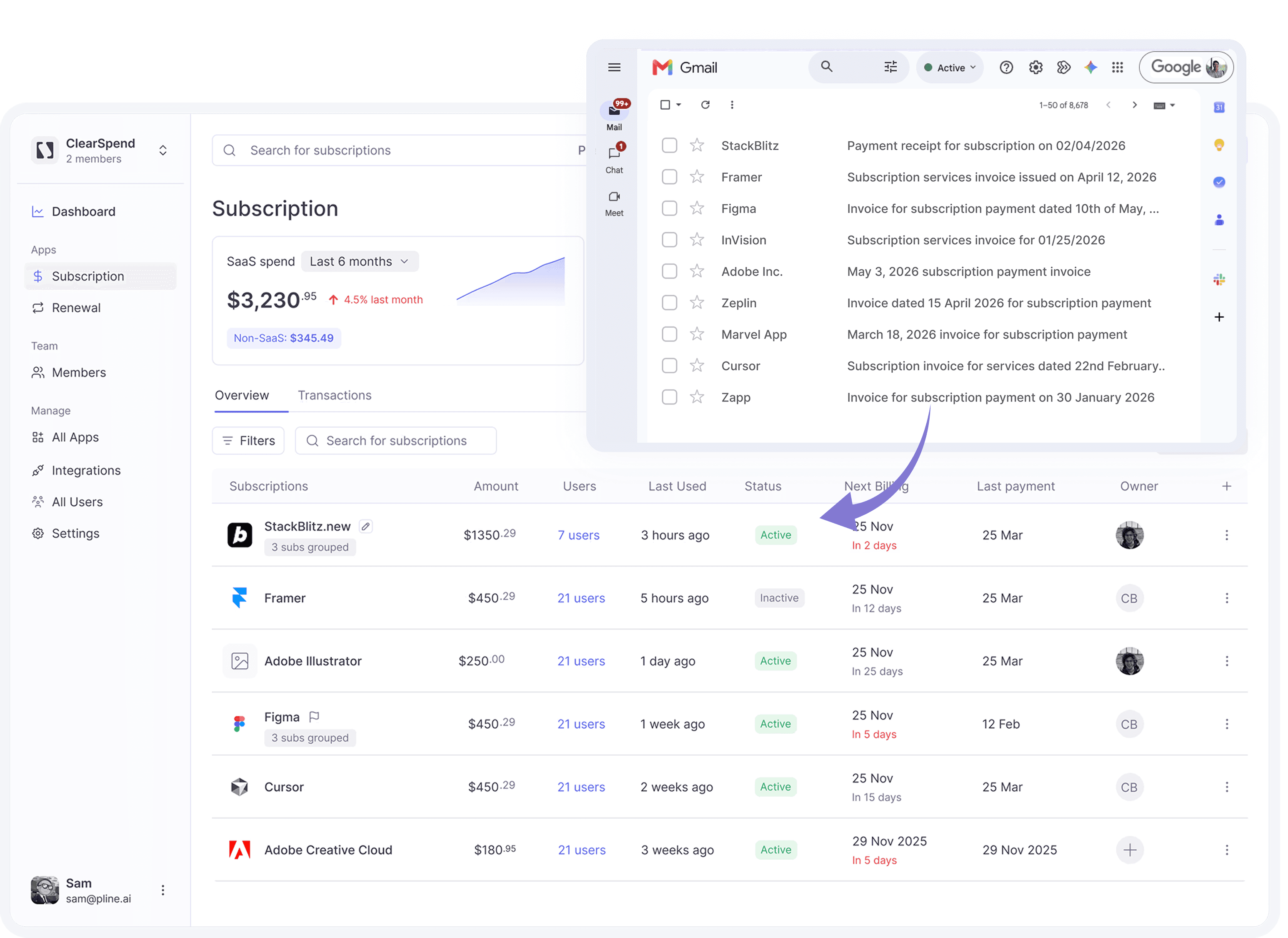
ClearSpend reads your billing emails and automatically builds your subscription records — vendor, amount, renewal date, owner. Only invoices and receipts are touched. The rest of your inbox stays private.
Turn Gmail into a SaaS tracker
ClearSpend reads your billing emails and automatically builds your subscription records — vendor, amount, renewal date, owner. Only invoices and receipts are touched. The rest of your inbox stays private.
Turn Gmail into a SaaS tracker
ClearSpend reads your billing emails and automatically builds your subscription records — vendor, amount, renewal date, owner. Only invoices and receipts are touched. The rest of your inbox stays private.
Capabilities
What Gmail delivers
OAuth
Automatic renewal tracking from Gmail
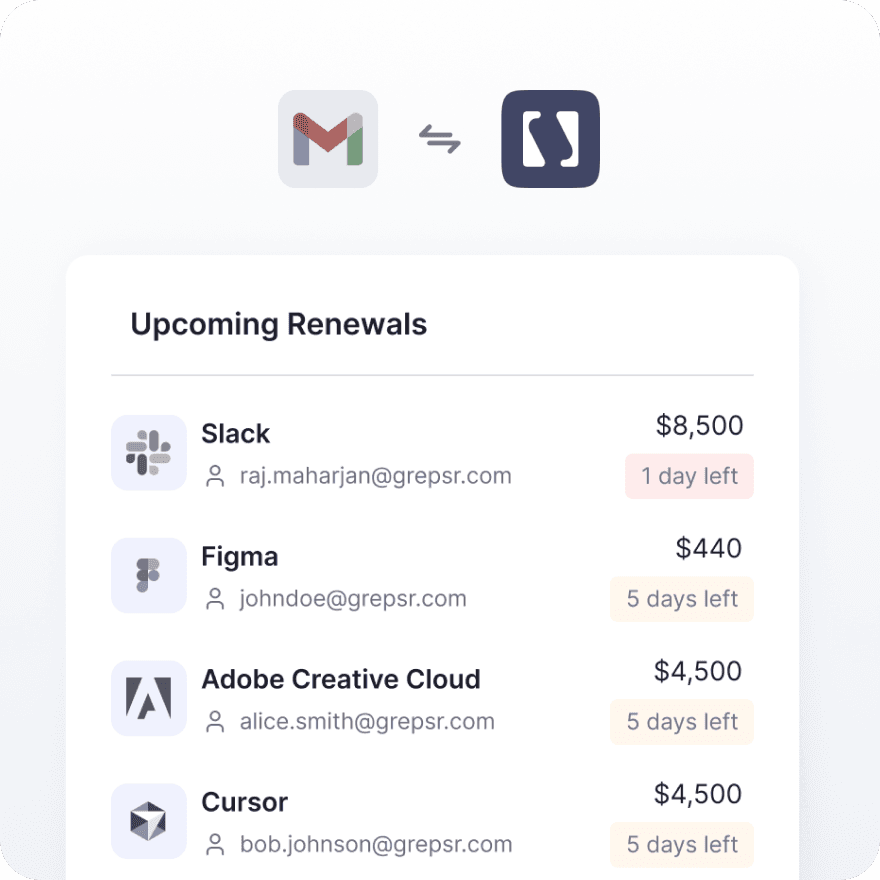
Every billing email becomes a subscription record automatically — vendor, amount, renewal date, synced without you forwarding or tagging anything. When a renewal date changes, ClearSpend picks it up from the next billing email. Your calendar reflects what's actually happening, not what someone remembered to updat
Multi-inbox
Connect every billing inbox
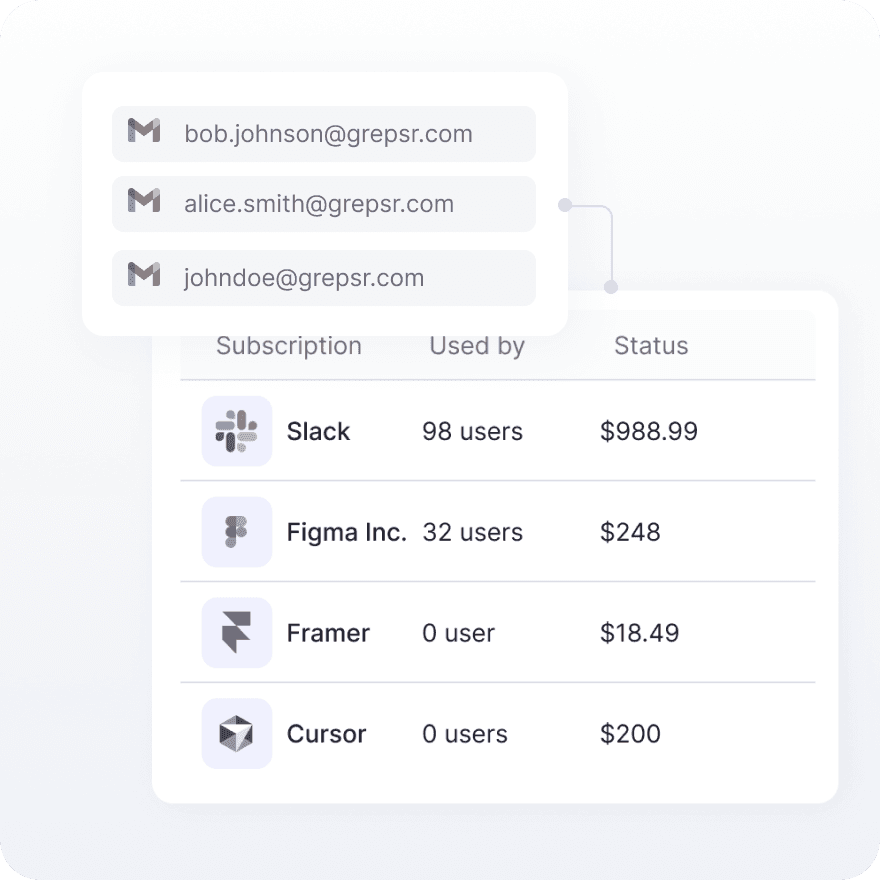
Billing rarely lives in one mailbox. Link multiple Gmail accounts—AP, finance, founders, and shared inboxes—so every invoice and renewal date rolls into one subscription and renewal view. No siloed spend across accounts your team has to reconcile by hand.
Capabilities
What Gmail delivers
OAuth
Automatic renewal tracking from Gmail
Every billing email becomes a subscription record automatically — vendor, amount, renewal date, synced without you forwarding or tagging anything. When a renewal date changes, ClearSpend picks it up from the next billing email. Your calendar reflects what's actually happening, not what someone remembered to updat
Multi-inbox
Connect every billing inbox
Billing rarely lives in one mailbox. Link multiple Gmail accounts—AP, finance, founders, and shared inboxes—so every invoice and renewal date rolls into one subscription and renewal view. No siloed spend across accounts your team has to reconcile by hand.
Capabilities
What Gmail delivers
OAuth
Automatic renewal tracking from Gmail
Every billing email becomes a subscription record automatically — vendor, amount, renewal date, synced without you forwarding or tagging anything. When a renewal date changes, ClearSpend picks it up from the next billing email. Your calendar reflects what's actually happening, not what someone remembered to updat
Multi-inbox
Connect every billing inbox
Billing rarely lives in one mailbox. Link multiple Gmail accounts—AP, finance, founders, and shared inboxes—so every invoice and renewal date rolls into one subscription and renewal view. No siloed spend across accounts your team has to reconcile by hand.
Connect
How to connect Google Drive + ClearSpend
1
Open Integrations
Go to Manage → Integrations → Gmail in the sidebar .
2
Click Connect
Click Connect. You are redirected to Google’s OAuth consent screen.
3
Choose the inbox
Sign in with the Google account whose inbox receives billing email (your own mailbox, a shared billing inbox, or a finance alias — whichever holds the invoices you want imported).
4
Approve read-only scopes
Approve the requested permissions. ClearSpend uses read-only Gmail scopes to list and download invoice attachments. You can revoke access later from your Google account or from Integrations.
5
Wait for the first sync
After authorization, ClearSpend redirects you back to Integrations. A first sync starts automatically. Most inboxes finish within a couple of minutes; large mailboxes with many historical invoices can take longer. The card shows last sync when a pass completes
Connect
How to connect Google Drive + ClearSpend
1
Open Integrations
Go to Manage → Integrations → Gmail in the sidebar .
2
Click Connect
Click Connect. You are redirected to Google’s OAuth consent screen.
3
Choose the inbox
Sign in with the Google account whose inbox receives billing email (your own mailbox, a shared billing inbox, or a finance alias — whichever holds the invoices you want imported).
4
Approve read-only scopes
Approve the requested permissions. ClearSpend uses read-only Gmail scopes to list and download invoice attachments. You can revoke access later from your Google account or from Integrations.
5
Wait for the first sync
After authorization, ClearSpend redirects you back to Integrations. A first sync starts automatically. Most inboxes finish within a couple of minutes; large mailboxes with many historical invoices can take longer. The card shows last sync when a pass completes
Connect
How to connect Google Drive + ClearSpend
1
Open Integrations
Go to Manage → Integrations → Gmail in the sidebar .
2
Click Connect
Click Connect. You are redirected to Google’s OAuth consent screen.
3
Choose the inbox
Sign in with the Google account whose inbox receives billing email (your own mailbox, a shared billing inbox, or a finance alias — whichever holds the invoices you want imported).
4
Approve read-only scopes
Approve the requested permissions. ClearSpend uses read-only Gmail scopes to list and download invoice attachments. You can revoke access later from your Google account or from Integrations.
5
Wait for the first sync
After authorization, ClearSpend redirects you back to Integrations. A first sync starts automatically. Most inboxes finish within a couple of minutes; large mailboxes with many historical invoices can take longer. The card shows last sync when a pass completes
Gmail in action
Importing billing documents through Gmail
Capabilities
What Gmail delivers


Capabilities
What Gmail delivers
Capabilities
What Gmail delivers

Bring billing email into a single system of record for SaaS spend
Simplify web data extraction with Pline
Bring billing email into a single system of record for SaaS spend
FAQs
Common questions about Gmail and ClearSpend
Why don't I see all my subscriptions yet?
Which emails does ClearSpend import?
Is my email data safe?
Can I connect more than one Gmail account?
How far back does the first sync look?
Can I exclude certain senders or subjects from being imported?
FAQs
Common questions about Gmail and ClearSpend
Why don't I see all my subscriptions yet?
Which emails does ClearSpend import?
Is my email data safe?
Can I connect more than one Gmail account?
How far back does the first sync look?
Can I exclude certain senders or subjects from being imported?
FAQs